
Claude Code Changed Everything: How a Web Agency Rebuilt Its Entire Workflow with AI
After building 100+ WordPress sites, we discovered Claude Code and it transformed our agency. From website development to SEO audits to accounting — here's what happened when a 4-person dev team went all-in on AI-powered coding.


With 22 years of IT experience, Roy leads Perel Web Studio with unwavering passion for creating digital solutions that drive real results. The only difference between a good and bad web agency? Passion.
After building more than 100 websites on WordPress, we spent most of 2025 doing one thing: researching what comes next.
Hours watching YouTube videos. Listening to every relevant podcast. Testing frameworks. Reading documentation. All with one goal: find the best possible framework for SEO-optimized websites, mainly for B2B services.
Every path led to the same conclusion: Astro.js.
The flexibility. The performance. The static-first approach that search engines love. But the real game-changer wasn’t the framework itself — it was how we could build with it.
Discovering Claude Code
Claude Code launched on November 24, 2024. We discovered it four months later, in March 2025. Since that day, I’ve been using it more than five hours a day, every single day.
That’s not an exaggeration. It fundamentally changed how I think about software development, project management, and running a web agency.
But using Claude Code isn’t like using ChatGPT or Copilot. It requires a genuinely new type of expertise:
- Which MCP servers are worth using — and which ones waste your time
- How to structure skills and sub-agents — to handle complex multi-step tasks
- How to prompt effectively — to get production-ready results, not just demos
- How to manage context — knowing when to start fresh vs. continue a session
This isn’t “AI assistance.” This is a new way of building software. And it has a real learning curve.
Converting the Team: From Skepticism to Expertise
The hardest part wasn’t learning Claude Code myself. It was convincing our four developers in Sri Lanka to switch.
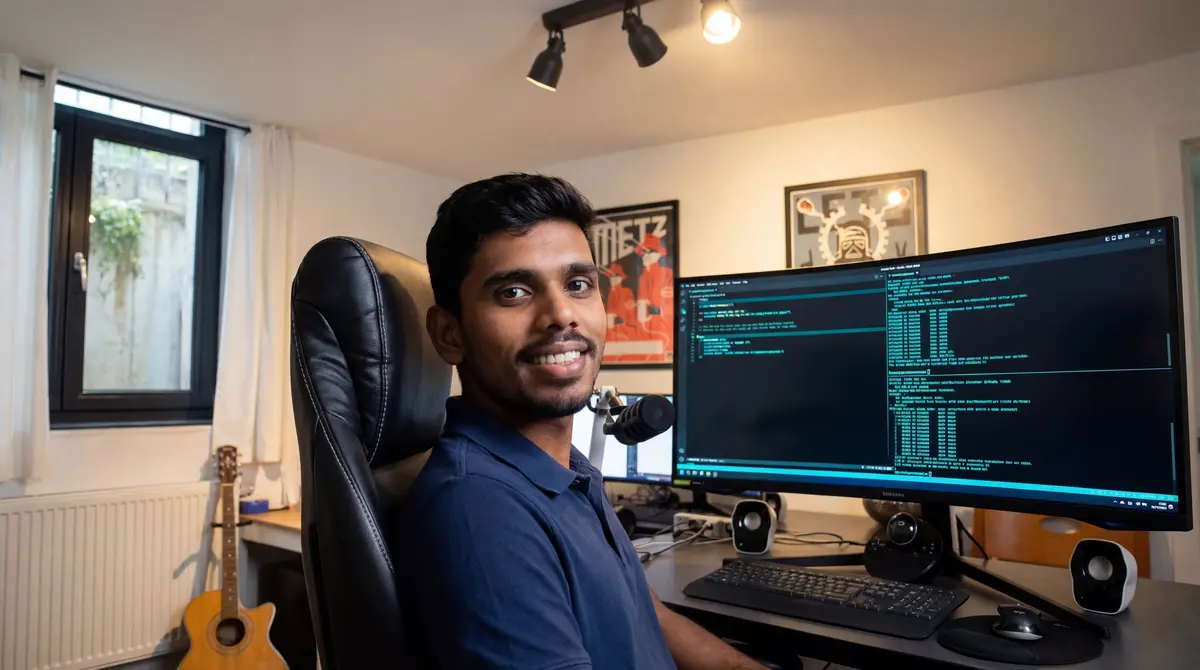
Kamindu is a perfect example. He’s an experienced full-stack developer who spent years working with WordPress and Shopify. When I first introduced Claude Code, he was reluctant. He didn’t immediately see how it could improve his workflow. He was fast with WordPress. Why change?
Today, the team nicknamed him “Claudindu” — a mix of Claude and Kamindu. That tells you everything about how far he’s come.
I took a different approach. Instead of explaining, I showed. I took each team member through one complete project built entirely with Claude Code. Not a tutorial. Not a demo. A real client project, start to finish — giving them the space to play around, make mistakes, and understand how it actually works.
After that first project, they were up to speed. Not experts yet, but productive.
The real expertise kicks in after 3-4 projects. That’s when the patterns click. You start thinking in terms of parallel sessions, MCP integrations, and prompt structures. You stop fighting the tool and start collaborating with it.
Today, every one of our developers prefers Claude Code. That’s not because I told them to — it’s because the results speak for themselves.
The Parallel Session Multiplier
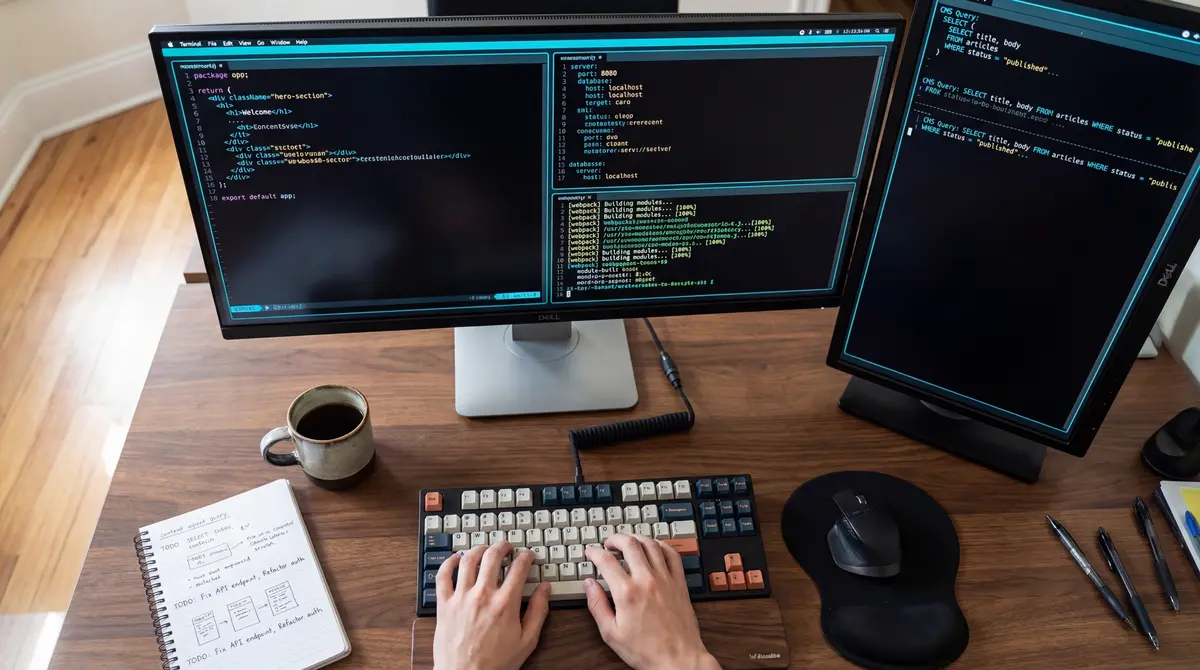
Here’s the technique that multiplied our productivity beyond what I expected: running multiple Claude Code windows simultaneously.
Each session opens with a fresh context, working on a different part of the project. While one session builds the navigation component, another handles the blog system, and a third sets up the SEO schemas. They don’t interfere with each other. They just… work.
On a typical migration project, we run 3-4 Claude Code sessions in parallel. The productivity gain isn’t 3-4x — it’s more, because each session maintains deep focus on its specific task without context-switching overhead.
This is something no traditional developer workflow can match. A human developer switching between tasks loses time to context switching. Parallel Claude Code sessions don’t.
Real Case Study: Hercules Merchandising
Let’s talk specifics. Hercules Merchandising is one of our e-commerce clients — a sports merchandise company operating across France, the UK, and Germany.
We initially built their site on WordPress with WooCommerce. It worked. Products were listed, orders were processed, the business ran. But the Core Web Vitals told a different story.
Under WordPress, Google Search Console showed roughly 50 URLs flagged as “poor” on mobile. Zero good URLs. The red line dominated the chart.
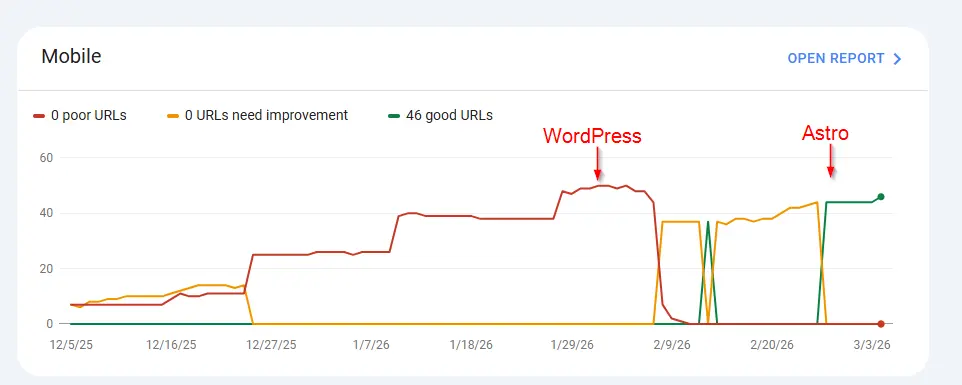
After migrating to Astro, the transformation was dramatic: 46 good URLs, 0 poor URLs, 0 URLs needing improvement. The red line dropped to zero. The green line took over completely.
The Hybrid Architecture
But here’s the clever part: we didn’t abandon WordPress entirely. We built a hybrid architecture:
- Frontend & SEO: Built on Astro — static pages, blazing fast, perfect Core Web Vitals
- Backend & Dynamic Pages: Still WordPress — cart, checkout, quotation management, product admin
- Automatic Sync: When a product is updated in WordPress, triggers automatically rebuild the relevant Astro pages
This gives the client the best of both worlds: the familiar WordPress admin panel they know, with the performance and SEO benefits of a static Astro frontend. All built and orchestrated with Claude Code.
If you’re considering a similar move, check out our detailed guide on migrating from WordPress to Astro.
Beyond Websites: Claude Code Runs Our Agency
Here’s what surprised us most: once you get comfortable with Claude Code, you start using it for everything.
Today, we use Claude Code for:
- Website development — obviously, but now 5x faster
- SEO audits — analyzing Google Search Console data through our custom MCP integration
- Website migrations — scraping WordPress sites using the Chrome DevTools MCP and rebuilding in Astro
- Accounting — yes, really
- Marketing — content creation, LinkedIn posts, strategy
- Client presentations — teleporting Claude Code sessions to mobile devices to show clients updates during meetings via voice messages
Even this blog post was written with Claude Code. I dictated the key points and experiences, and Claude Code structured, expanded, and refined them into what you’re reading now. The ideas are mine. The efficient execution is a collaboration.
The Tools That Make It Work
Not all MCP servers are created equal. Here are the ones that genuinely transformed our workflow:
Google Search Console MCP
This is incredibly powerful for SEO work. Instead of clicking through the GSC interface, we query search performance data directly from Claude Code. Keyword rankings, indexing issues, click-through rates — all accessible through natural language prompts. We use this daily for client SEO audits and our own site optimization.
Chrome DevTools MCP
This one is a game-changer for WordPress-to-Astro migrations. When we need to scrape a WordPress site — extracting real rendered content including lazy-loaded images, video backgrounds, and dynamically loaded elements — the DevTools MCP handles it flawlessly. It sees the page exactly as a browser does, not just the raw HTML.
Claude Code on Mobile
One feature we love is teleporting Claude Code sessions to a mobile device. When we go into client meetings, we can send voice messages to show updates on their websites in real time. No laptop needed. Just a phone and a conversation with Claude Code.
The Learning Curve Is Real — But Worth It
Let me be honest about the learning curve, because most “AI changed my workflow” articles skip this part.
Week 1: Frustrating. You prompt like you’re talking to ChatGPT and get mediocre results. You don’t understand why context matters so much. You try to do everything in one session and it falls apart.
Month 1: You start to get it. You learn that smaller, focused prompts beat long rambling ones. You discover MCP servers. You understand when to start a fresh session vs. continue an existing one.
Month 3: It clicks. You’re thinking in parallel sessions. You know which MCPs to use for which tasks. You’ve built custom skills for your repetitive workflows. Your team is onboarded and productive.
Month 6+: You can’t imagine going back. Not because you’re locked in, but because the gap between “with Claude Code” and “without” is so massive that it would feel like going from a power drill back to a manual screwdriver.
The Results
Since our agency completely switched to AI-oriented solutions:
| Metric | Impact |
|---|---|
| Client satisfaction | Significantly higher — faster delivery, better results |
| Developer productivity | 3-5x on most tasks |
| Developer satisfaction | Higher — less grunt work, more creative problem-solving |
| Project delivery speed | What took weeks now takes days |
| Code quality | Better — consistent patterns, fewer manual errors |
| Core Web Vitals | Near-perfect scores on every new project |
It’s Not Just a Tool — It’s a New Way of Thinking
The biggest change isn’t technical. It’s mental.
Before Claude Code, we thought about projects in terms of hours, sprints, and developer availability. Now we think about them in terms of parallel sessions, prompt strategies, and MCP integrations.
Before, a WordPress-to-Astro migration meant weeks of manual work. Now it means setting up the right agents, running parallel sessions, and reviewing the output.
Before, an SEO audit meant hours in spreadsheets. Now it means a conversation with Google Search Console through an MCP.
The developers who adapt to this new way of thinking will thrive. The ones who dismiss it as “just another AI tool” will fall behind. We’ve seen this firsthand — within our own team, the shift from skepticism to expertise happened in a matter of weeks, not months.
If you’re a web agency still doing things the traditional way, the question isn’t whether to adopt AI-powered development. It’s how fast you can get your team up to speed.
Want to see what Claude Code-powered development can do for your project? Get in touch — we’d love to show you.
Ready to Transform Your Online Presence?
Let's discuss how we can help your business grow with a high-performing website
Roy Perelgut
Founder & Digital Strategist
With 22 years of IT experience, Roy founded Perel Web Studio with one core belief: passion is what separates a good web agency from a bad one.
Passionate about creating digital solutions that drive real results, he leads a team of 6 from Brussels, collaborating with talented developers in Sri Lanka, delivering projects that achieve #1 Google rankings and multiply leads.
His approach combines technical excellence, sharp SEO strategy, and an uncompromising commitment to every client's success.